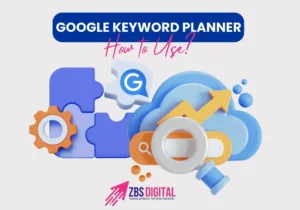
In the world of digital marketing, keywords are the foundation of SEO success. Choosing the right search terms can determine whether your content ranks on page one of Google or gets buried under competitors. That’s where Google Keyword Planner comes in—a free and powerful tool that helps businesses, marketers, and bloggers discover the best keywords to optimize their SEO campaigns.
If you’re serious about increasing your website traffic and ranking higher in 2026, mastering Google Keyword Planner is a must. In this guide, we’ll explain what it is, how it works, and how you can use it to build data-driven SEO campaigns that deliver results.
What Is Google Keyword Planner?
Google Keyword Planner is a free keyword research tool provided inside Google Ads. While it’s designed primarily for advertisers running paid search campaigns, it is equally valuable for SEO professionals. The tool helps you:
- Discover new keyword ideas related to your niche.
- Check average monthly search volumes.
- See the level of competition for keywords.
- Get bid ranges for paid ads (useful for understanding keyword value).
Even though you don’t need to run ads to use Keyword Planner, you do need a free Google Ads account to access it.
Why Use Google Keyword Planner for SEO in 2026?
In 2026, Google’s algorithms are more advanced than ever, focusing heavily on search intent, conversational queries, and user experience. Keyword Planner helps align your SEO efforts with these updates by offering:
- Accurate Search Data: Unlike many third-party tools, it uses Google’s own data.
- Voice Search Optimization: Find conversational, long-tail queries people ask on mobile and voice assistants.
- Competitive Insights: Understand how difficult it may be to rank for specific terms.
- Content Opportunities: Discover niche keywords competitors may be missing.
Using Keyword Planner allows you to create content that’s not only keyword-rich but also intent-driven and highly relevant to your audience.
Step-by-Step Guide: How to Use Google Keyword Planner for SEO
1. Set Up Your Google Ads Account
To get started, sign in at Google Ads and create a free account. You don’t have to run ads; you can simply use the tool for SEO research.
2. Access Keyword Planner
Inside Google Ads, click on Tools & Settings > Keyword Planner. You’ll see two main options:
- Discover New Keywords
- Get Search Volume and Forecasts
For SEO, the first option is the most useful because it generates keyword ideas based on your seed terms.
3. Enter Your Seed Keywords or Website
Type in a broad keyword like “digital marketing,” or enter your website URL to let Google generate ideas. The tool will display related keywords along with search volume, competition level, and CPC data.
Example: If you type “SEO services,” Google might suggest related keywords like “local SEO agency,” “SEO for small business,” or “affordable SEO packages.”
4. Analyze Keyword Data
The results show:
- Average Monthly Searches – how often people search for the term.
- Competition – whether the keyword is low, medium, or high competition.
- Bid Range – shows the commercial value of keywords (higher CPC often means higher business potential).
For SEO campaigns, prioritize low-to-medium competition keywords with decent search volume.
5. Focus on Long-Tail Keywords
In 2026, long-tail conversational keywords dominate search results because they closely match user intent. For example:
- Short-tail: “SEO”
- Long-tail: “best SEO strategies for small businesses in 2026”
Google Keyword Planner helps uncover these hidden opportunities, making it easier to rank faster and attract qualified traffic.
6. Organize Keywords into Groups
Once you find good keywords, organize them into categories for different types of content:
This ensures you’re targeting the right terms across your website without overlapping.
7. Build Content Around Your Keywords
After selecting the right keywords, use them strategically in:
Remember: Don’t keyword stuff. Google rewards natural, high-quality content written for people first, search engines second.
8. Track and Refine Your Strategy
Keyword research isn’t a one-time task. Use tools like Google Search Console to monitor which keywords drive traffic, then return to Keyword Planner regularly to refine your list. SEO trends change, and keeping your content updated will help maintain rankings.
Pro Tips for Using Google Keyword Planner in SEO Campaigns
- Combine with Other Tools: Use Keyword Planner with Ahrefs, SEMrush, or Ubersuggest for broader insights.
- Leverage Location Targeting: If you’re a local business, filter keyword results by city or region.
- Check Seasonal Trends: Some keywords perform better at specific times of year (e.g., “Black Friday deals”).
- Use Negative Keywords (for Ads): Even if you’re not running ads, understanding irrelevant keywords helps refine your SEO focus.
- Update Content Frequently: Revisit your keywords every few months to stay ahead of trends.
Conclusion
Google Keyword Planner remains one of the most powerful free SEO tools in 2026. By using it strategically, you can discover high-value keywords, create optimized content, and stay ahead of competitors. Whether you’re running a blog, an e-commerce store, or a service-based business, Keyword Planner helps you build SEO campaigns that actually work.
At Zbs Digital, we specialize in creating SEO strategies that leverage tools like Google Keyword Planner to maximize traffic and conversions. If you’re ready to take your business to the next level, our team is here to help. Contact Zbs Digital today and let us build a keyword strategy tailored to your goals.