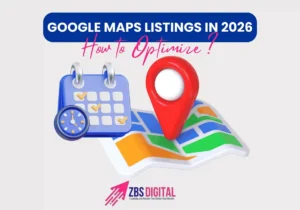
In today’s competitive digital world, showing up on Google Maps is no longer optional — it’s essential. With billions of searches happening daily, more than 46% of them are for local intent. That means customers are actively looking for businesses near them. If your business isn’t optimized for Google Maps in 2026, you’re missing out on traffic, leads, and sales.
This guide will show you exactly how to optimize your Google Maps listing so your business can dominate local search results.
Why Google Maps Optimization Matters
When someone searches for “restaurants near me” or “best plumber in [city],” Google often displays a Local Pack — the top 3 results on Google Maps. These listings attract the majority of clicks, meaning higher visibility = more customers.
Benefits of Google Maps SEO include:
- Increased foot traffic to your location
- More website visits & phone calls
- Higher credibility with positive reviews
- Better ranking in local search results
Steps to Optimize Your Google Maps Listing in 2026.
1. Claim & Verify Your Google Business Profile (GBP)
- Visit Google Business Profile.
- Add accurate business details (name, address, phone number — also called NAP).
- Verify your business via phone, email, or postcard.
👉 Pro Tip: Keep your NAP details consistent across your website, directories, and social media.
2. Choose the Right Business Category
Selecting the right category helps Google match your business with the right searches. For example:
- Main category: “Dental Clinic”
- Subcategories: “Cosmetic Dentist,” “Emergency Dental Service”
3. Add Complete Business Information
- Write a clear business description with local keywords (e.g., “Best coffee shop in downtown Chicago”).
- Add working hours, services, and website link.
- Include special attributes like wheelchair accessible, delivery, or online appointments.
4. Use High-Quality Photos & Videos
Listings with photos get 42% more requests for directions and 35% more website clicks. Upload:
- Exterior & interior shots
- Product photos
- Team & customer interaction shots
- Short intro video about your business
5. Encourage & Manage Reviews
Reviews are one of the biggest ranking factors for Google Maps.
- Ask happy customers to leave reviews.
- Respond to all reviews (positive & negative).
- Use polite, keyword-rich replies (e.g., “Thank you for choosing our dental clinic in Chicago”).
6. Optimize for Mobile & Voice Search
Since most local searches happen on mobile and smart assistants, make sure your website is:
- Mobile-friendly
- Fast-loading
- Optimized with conversational keywords (e.g., “Where can I find the best pizza near me?”)
7. Build Local Citations & Backlinks
List your business on directories like Yelp, Yellow Pages, and TripAdvisor. Make sure your NAP info matches exactly.
Also, earn backlinks from local blogs, news sites, and community websites to strengthen authority.
8. Post Regular Updates on GBP
Use your Google Business Profile like a mini social media platform. Post about:
- Special offers
- New products/services
- Events
- Seasonal updates
This keeps your profile active and signals Google that your business is trustworthy.
Conclusion
In 2026, Google Maps SEO is one of the most powerful ways to get discovered by local customers. By optimizing your Google Business Profile, adding reviews, using photos, and maintaining consistent information, you’ll not only improve rankings but also drive more customers straight to your door.
Start optimizing today — your competitors are already on the map!